Hosts
You can add custom domains to your app envs. Access your app env and go to the Hosts tab.
You need to point a CNAME DNS record pointing to the ingress informed in the top of this tab alert message.
Each CNAME domain is unique to an app env, you can learn more about our ingress strategy here.
Each host needs to be unique in a region, so if you want to re-use a host you need to delete it from the other app env first.
Custom certificates
By default, domain certificates are generated using Let's Encrypt. When you need to serve your own certificate instead, the platform offers two paths.
Account-managed certificate (recommended)
Upload the certificate once under My Account → Credentials as a TLS Certificate credential, then pick it from the Use account certificate select on the host editor. Any host whose name matches the certificate's common name or alt names — including single-level wildcards (*.example.com matching api.example.com) — sees the credential in its dropdown.
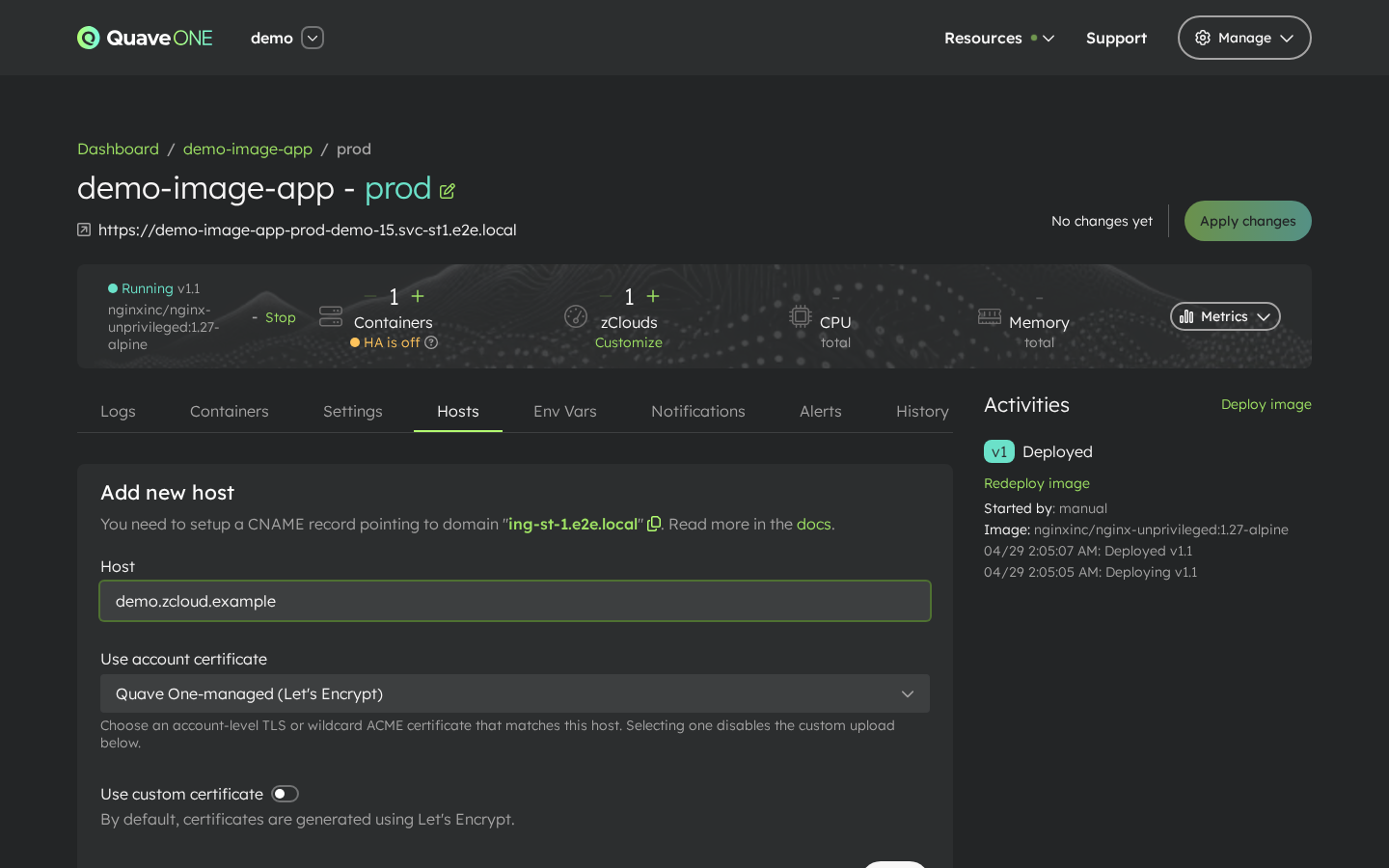
Account-level certificates rotate in one place: edit the credential, every host referencing it picks up the new value on the next sync.
For wildcard certificates issued automatically through a DNS provider (Cloudflare, Route 53, Azure DNS, GCP), use the ACME Wildcard credential type instead. The platform issues and renews the certificate for you, and the same Use account certificate select lists ACME-managed wildcard certificates whose name matches the host being added.
When no account credential is selected the host falls back to the default — Quave One-managed (Let's Encrypt) — which issues a free certificate automatically.
See Account Credentials for the full walkthrough of adding a TLS or ACME credential.
Per-host upload
If you only need a one-off certificate for a single host you can still upload it directly from the Hosts tab. Open the host form (or click to edit a host) and enable the Use custom certificate option, then paste the certificate and private key.
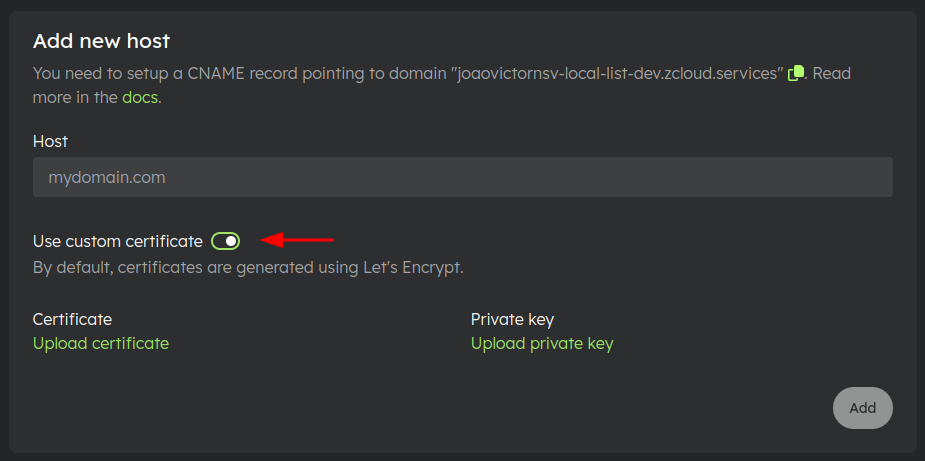
The Use custom certificate switch is disabled while the host is using an account-managed certificate from the select above — the two options are mutually exclusive.
Internal host
You can also use the internal host when communicating between app envs in the same Quave ONE account. We show the Internal host at the bottom of the Hosts tab.
This host is not accessible from outside the Quave ONE account or on the Internet. It also doesn't use HTTPS.
Database URLs
Your databases can have two hosts, also called URLs, an Internal URL and an External URL.
You can check them in the Settings tab inside your database envs.
Use the Internal URL to connect from other apps in Quave ONE. The External URL can be used for external access.